
Authentication
The FlowMind API uses Bearer token authentication. Every request must include your API key in the Authorization header.
Getting Your API Key
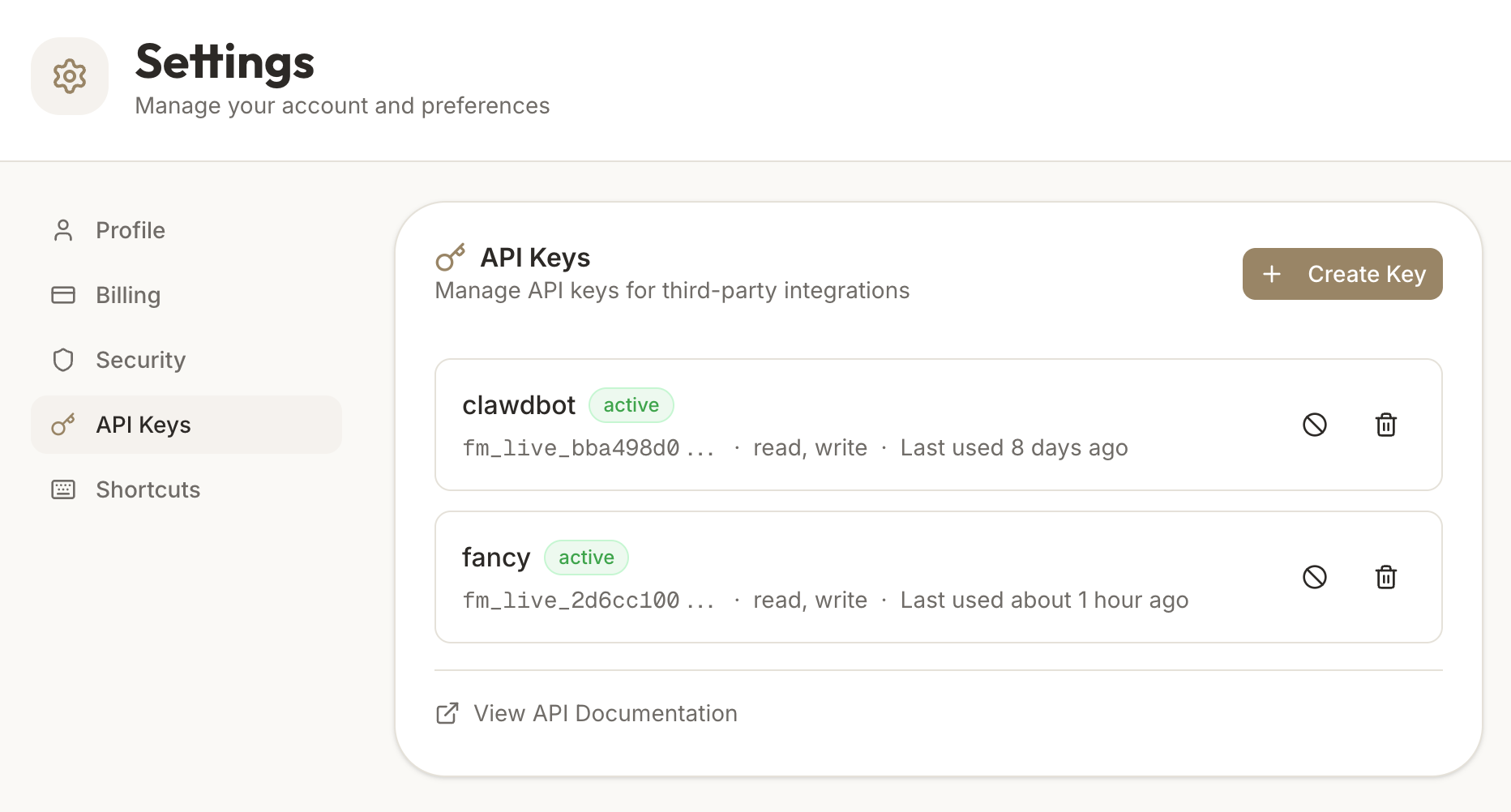
- Sign in to FlowMind
- Go to Settings → API Keys
- Click Generate New API Key
- Give your key a descriptive name (e.g., "Zapier Integration")
- Copy the key immediately — it won't be displayed again
Important: Treat your API key like a password. Never share it publicly or commit it to version control.
Using Your API Key
Include your API key in the Authorization header of every request:
curl -X GET "https://flowmind.life/api/v1/goals" \
  -H "Authorization: Bearer YOUR_API_KEY"
Example with JavaScript
const response = await fetch('https://flowmind.life/api/v1/goals', {
  headers: {
    'Authorization': 'Bearer YOUR_API_KEY',
    'Content-Type': 'application/json'
  }
});

const data = await response.json();
Example with Python
import requests

headers = {
    'Authorization': 'Bearer YOUR_API_KEY',
    'Content-Type': 'application/json'
}

response = requests.get(
    'https://flowmind.life/api/v1/goals',
    headers=headers
)

data = response.json()
Authentication Errors
If authentication fails, you'll receive a 401 Unauthorized response:
{
  "error": {
    "code": "UNAUTHORIZED",
    "message": "Invalid or missing API key"
  }
}
Common causes:
- Missing
Authorizationheader - Incorrect API key
- Expired or revoked API key
- Missing
Bearerprefix
Rate Limits
To ensure fair usage and platform stability, API requests are rate-limited:
| Limit | Value |
|---|---|
| Requests per minute | 100 |
| Requests per day | 10,000 |
Rate Limit Headers
Every response includes rate limit information:
X-RateLimit-Limit: 100
X-RateLimit-Remaining: 95
X-RateLimit-Reset: 1703001600
When Rate Limited
If you exceed the rate limit, you'll receive a 429 Too Many Requests response:
{
  "error": {
    "code": "RATE_LIMITED",
    "message": "Rate limit exceeded. Please retry after 60 seconds."
  }
}
The Retry-After header indicates how many seconds to wait before retrying.
API Key Security Best Practices
Do
- Store API keys in environment variables
- Use different keys for development and production
- Rotate keys periodically
- Revoke unused keys immediately
Don't
- Commit API keys to Git repositories
- Share keys in chat or email
- Use API keys in client-side JavaScript
- Log API keys in application logs
Revoking API Keys
If you suspect your API key has been compromised:
- Go to Settings → API Keys
- Find the compromised key
- Click Revoke
- Generate a new key and update your integrations
Revoked keys are immediately invalidated and cannot be restored.
Updated 8 months ago
Did this page help you?